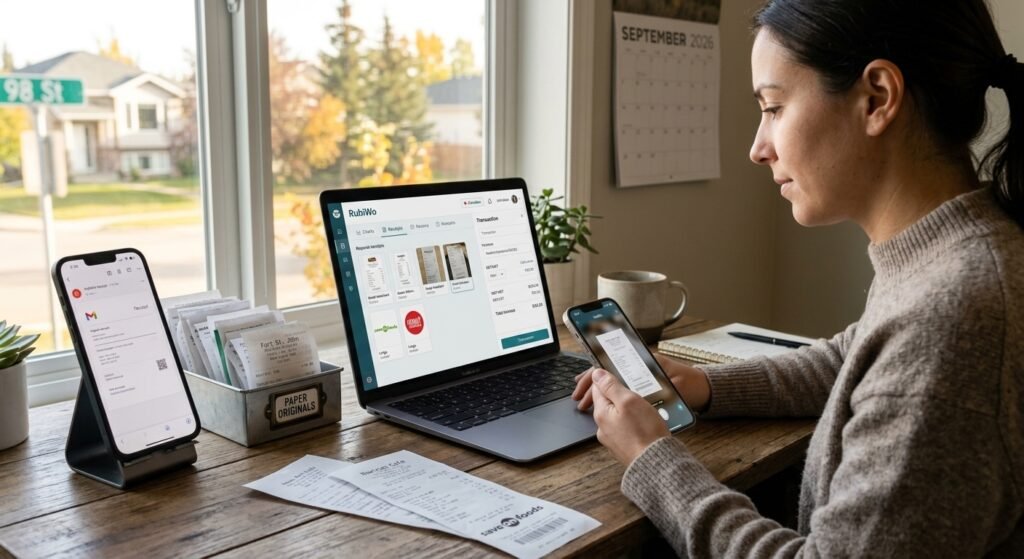
For Canadian freelancers, digital receipts work better for day-to-day business records because you can store and search them alongside expense details, while keeping paper receipts remains useful when a merchant or claim requires the original. Digital receipts are easier to retrieve for bookkeeping and expense reports, though their value depends on keeping each record legible, complete, and accessible.
RubiWo is a Canadian expense tracking app designed for freelancers and small businesses. A reliable receipt workflow helps you connect purchases to business expenses and find proof of purchase when you need it.
Key Takeaways
- Digital receipts make business records easier to search and organize.
- Keep receipt details complete and retain records for the required period.
- Use a consistent workflow to connect purchases with expense tracking.
Which Receipt Format Works Better for Business Records?
Digital receipts are the more practical format for organizing business records because they’re searchable, easy to store, and less vulnerable to fading or misplacement. Paper receipts still offer immediate proof of purchase and can be useful for returns, warranty claims, or situations where a digital copy is unavailable.
| Recordkeeping factor | Digital receipts | Paper receipts |
|---|---|---|
| Finding a transaction | Searchable by details or filename | Manual filing |
| Durability | Depends on accessible storage and backups | Can fade, tear, or get lost |
| Access | Available on a device or through storage | Available where you filed the original |
| Paper waste | Reduces printing and paper use | Creates paper waste |
| Customer experience | Convenient when you want an emailed copy | Immediate physical record |
The benefits of digital receipts include easier searching and less physical storage. Paperless receipts also reduce paper waste, though a digital record still needs a clear filing system and secure storage — a crowded inbox is no easier to use than an unsorted pile of paper.
For customer experience, offer the receipt format that suits the transaction and the customer’s preference. If you receive a paper receipt for a business purchase, photograph or scan it promptly and check that the text and transaction details are readable.
How Should Canadian Freelancers Keep Receipts for CRA Records?
Keep a complete, legible record of each business purchase, whether the original receipt is digital or paper, and organize it so you can produce it when needed. The CRA accepts electronic records when they remain accessible and usable — a file that’s blurred, incomplete, or difficult to retrieve doesn’t make good proof.
For each expense, preserve the receipt or invoice with the transaction date, seller, purchase details, and amount. Keep supporting information that clarifies the business purpose when the receipt alone doesn’t explain it. Retain your business records for six years from the end of the tax year they relate to, subject to exceptions such as a CRA request to keep them longer.
Email receipts and PDF invoices should be saved from your inbox into a consistent recordkeeping system. Use a filename that includes the date and vendor, then connect the file to the related expense entry. For paper receipts, capture the full receipt promptly and confirm the image is readable before disposing of the paper copy.
A useful routine is to record the expense when you receive the receipt, assign the appropriate category, and review your records regularly. That keeps expense tracking current and makes expense reports and bookkeeping easier to prepare. For returns or warranty claims, check the seller’s policy and keep any original documentation it requires.
How Can RubiWo Fit Into a Better Receipt Workflow?
RubiWo can support receipt management by helping you connect Canadian expense records with GST/HST tracking and category rules. Its receipt checks are designed around Canadian requirements, including GST/HST, PST, and the $500 buyer-name rule.
You can use an expense tracker as the home for purchase records, then save digital receipts so they remain findable alongside the expenses they support. RubiWo’s product information states that financial data is stored on Canadian servers and encrypted, with records retained for the six-year CRA period.
A practical workflow starts when you receive a receipt: add the expense, attach or retain its receipt record, and review the details before your next bookkeeping session. Cloud storage can make records accessible across devices, while an organized expense record helps you locate the supporting proof later.
RubiWo is available on iOS and Android. If you want a Canadian-focused way to keep expense tracking and receipt records together, you can try it as the next step in your workflow.
Choose the Format That Keeps Your Records Findable
Choose digital records as your default for business expenses, and keep paper when a purchase or claim calls for it. A digital-first routine makes it easier to search records and prepare bookkeeping, provided every receipt is legible, complete, and stored where you can retrieve it.
Save email receipts and capture paper receipts promptly. Use consistent names and categories, and check that the record matches the expense entry. Before discarding a paper original, confirm that you have a readable copy and that no return, warranty, or other requirement calls for the original.
Frequently Asked Questions
Does the CRA accept digital receipts? Yes, when they’re accurate, legible, accessible, and available for review. Keep the receipt details complete and retain the record for the applicable period.
Do you need to keep paper receipts after scanning them? A readable digital image can serve as an electronic record, so you don’t generally need to keep the paper original for CRA purposes. Keep the original when a merchant, warranty, or other claim requires it, and check that the scan captures the full receipt.
How long should you keep business receipts in Canada? Six years from the end of the tax year they relate to. The CRA can require records to be retained longer in some circumstances, so follow any specific request you receive.
Are email receipts enough for expense records? An email receipt can support an expense when it includes the transaction information and remains accessible and legible. Save it with the related expense so you can find and produce both records together.